Searching for a patient in the PMT
The following illustrate the steps to look up a patient using the PMT
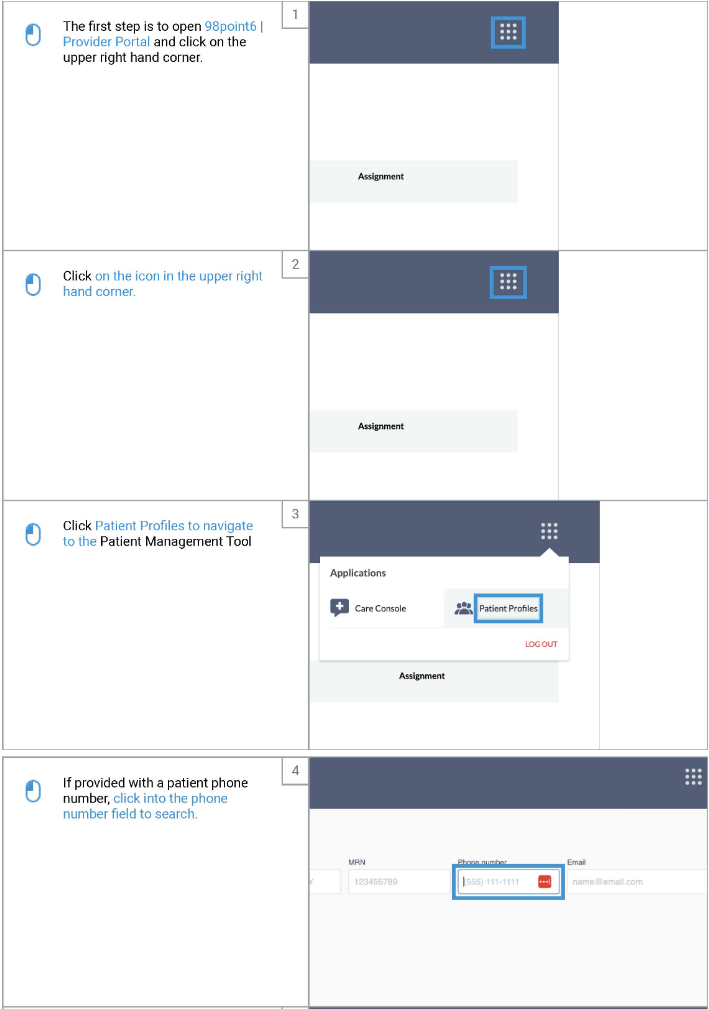
Open the Provider Portal
Click on the icon in the upper right hand corner
Select Patient Profiles
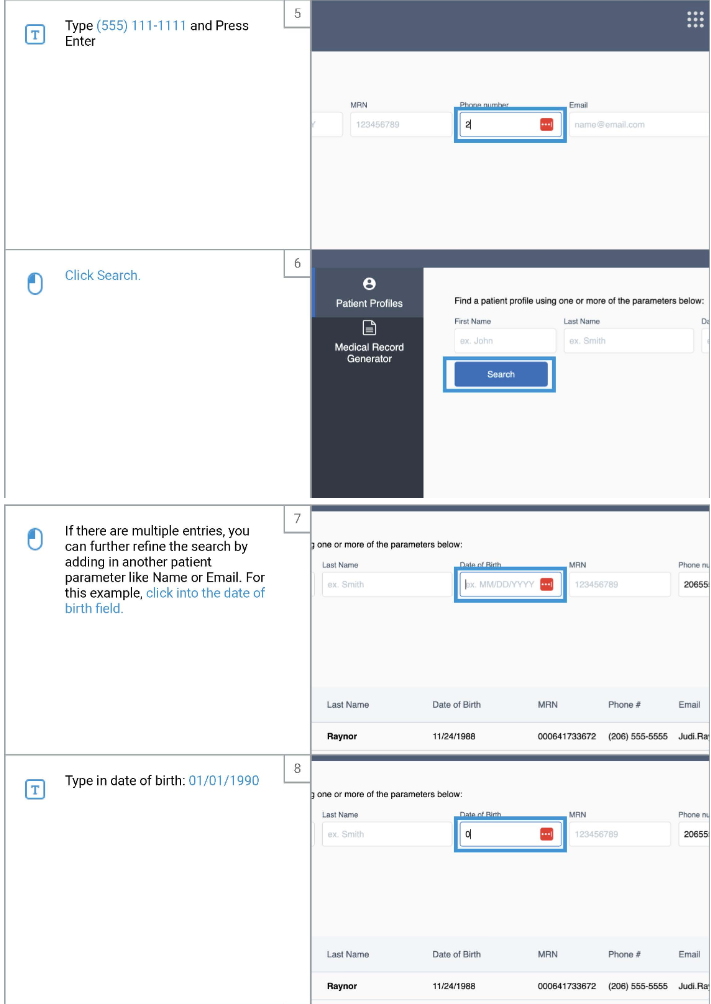
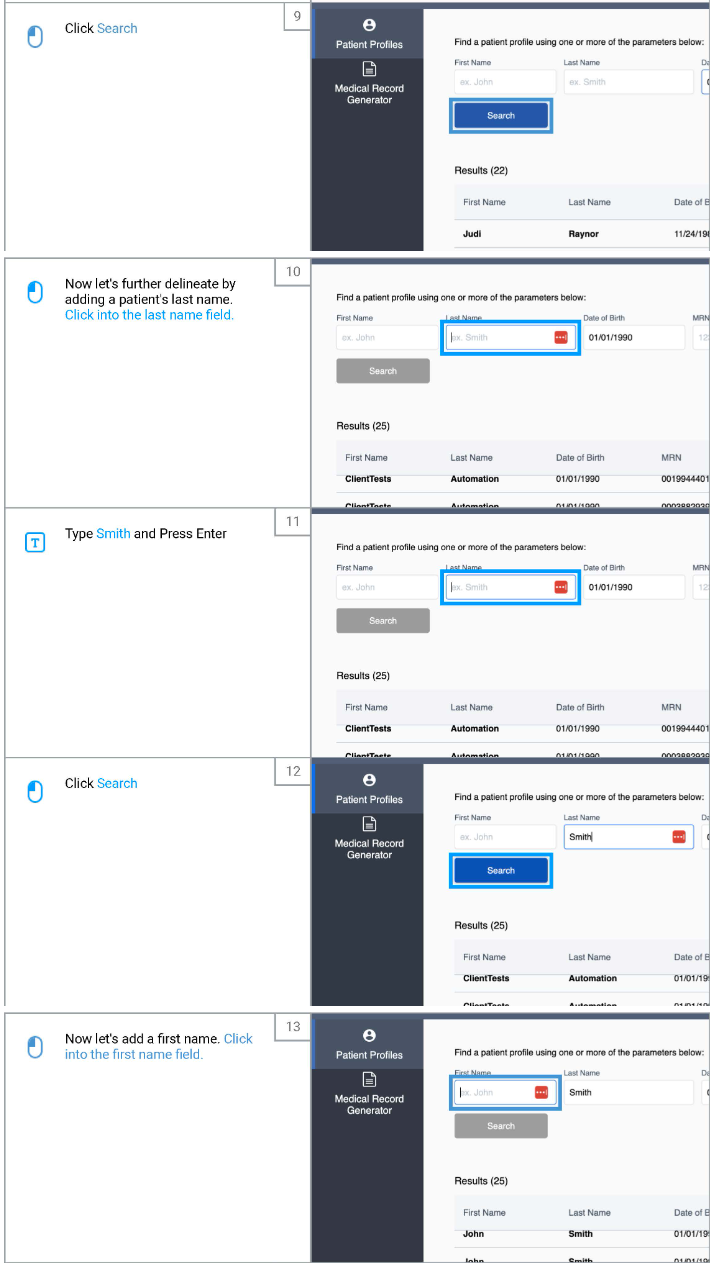
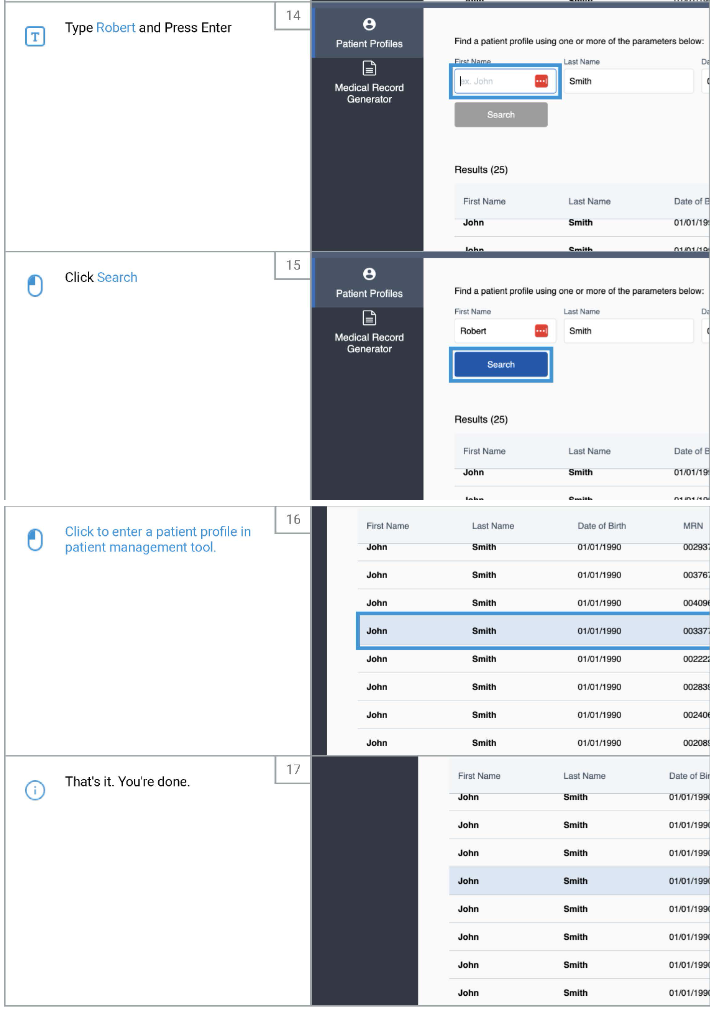
Enter the patients information to search for them. You can use:
First & last name
Date of birth
Email address
Phone number
MRN
Click on their name to enter their profile