
R8 Configuration
The 98point6 SDK is incompatible with certain R8 settings. As a result, it’s very important to make sure your R8 settings comply with the following supported configurations:

WARNING: Some R8 settings cause the SDK to crash or to become stuck.
ProGuard compatibility mode
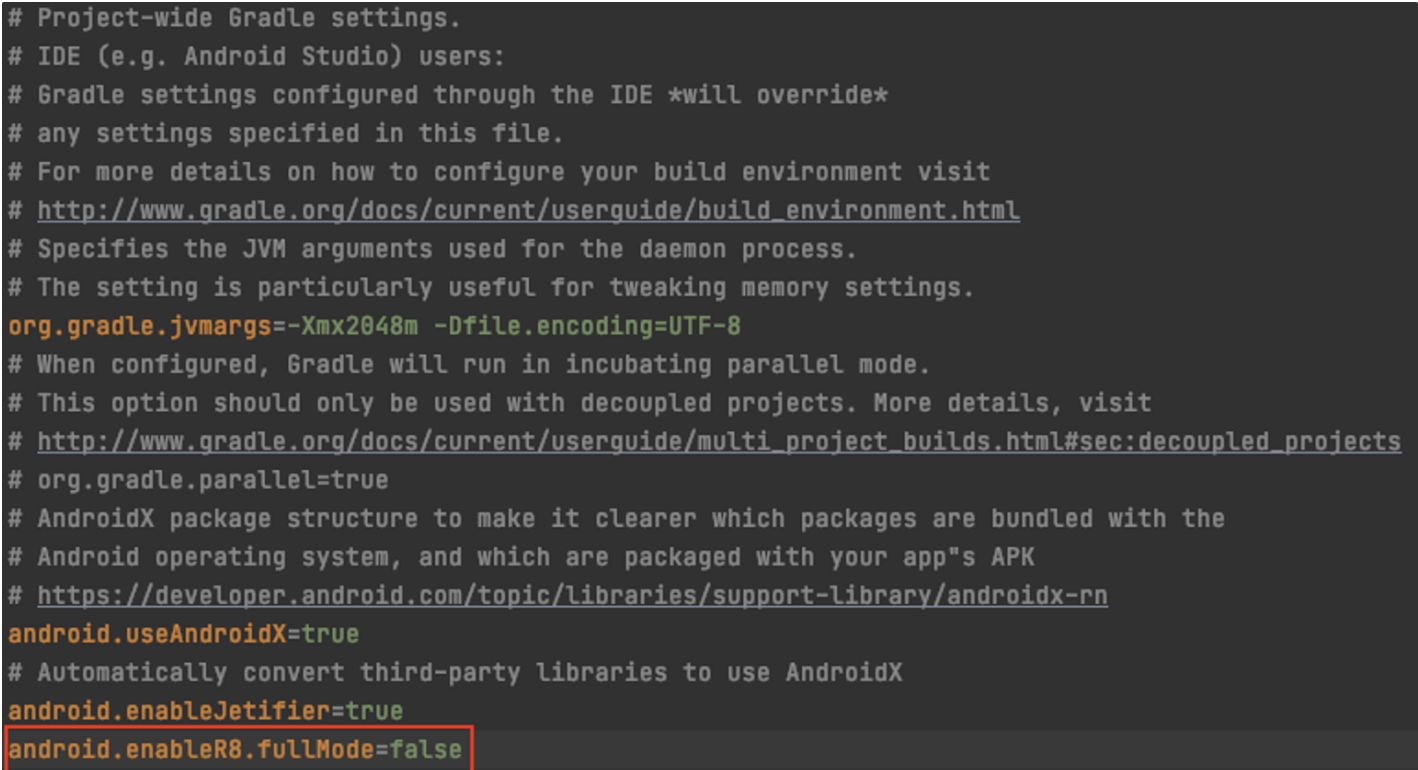
R8 must be in ProGuard compatibility mode. To do this:
Set android.enableR8.fullMode=false within your gradle.properties file.

NOTE: R8 runs in ProGuard compatibility mode by default.
See Android developer documentation for more information.
Optimization
Optimization is supported, but the flags used must match Google’s default settings exactly (See the propguard-android-optimize.txt within the Android developer documentation for more details.)
NOTE: Additional optimization flags beyond the defaults are not supported.
Non-KEEP Commands
Non-KEEP commands cannot be used, as only KEEP commands are supported (All combinations of the KEEP command are supported.) No additional R8 commands are supported.
What if I need a specific ProGuard configuration that 98point6 does not support?
In the event that a configuration other than ProGuard must be kept:
Inform 98point6 immediately on what that configuration is and why. This allows our engineers to understand the situation and to determine what can and cannot be done.
Continue on to use the ProGuard configuration (listed above) for testing. This allows us to continue testing the integration, and to validate that everything is working as expected.