Merging duplicate accounts in the PMT
Use these steps to merge duplicate accounts.

Extreme caution should be used when merging patient accounts or when making any changes to patient profile information.
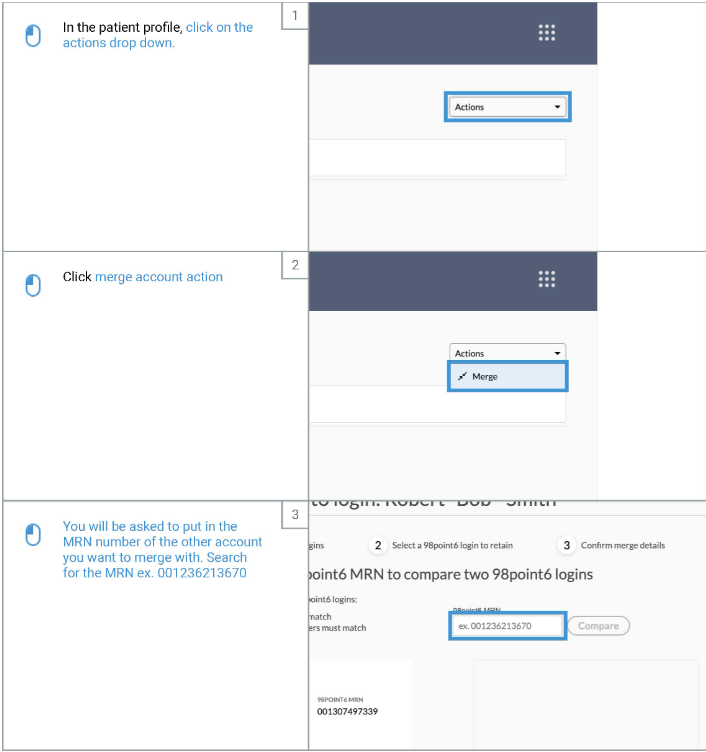
In the patient profile, click on the Actions drop down in the upper right hand corner
Click Merge
Enter the MRN of the other account you want to merge with
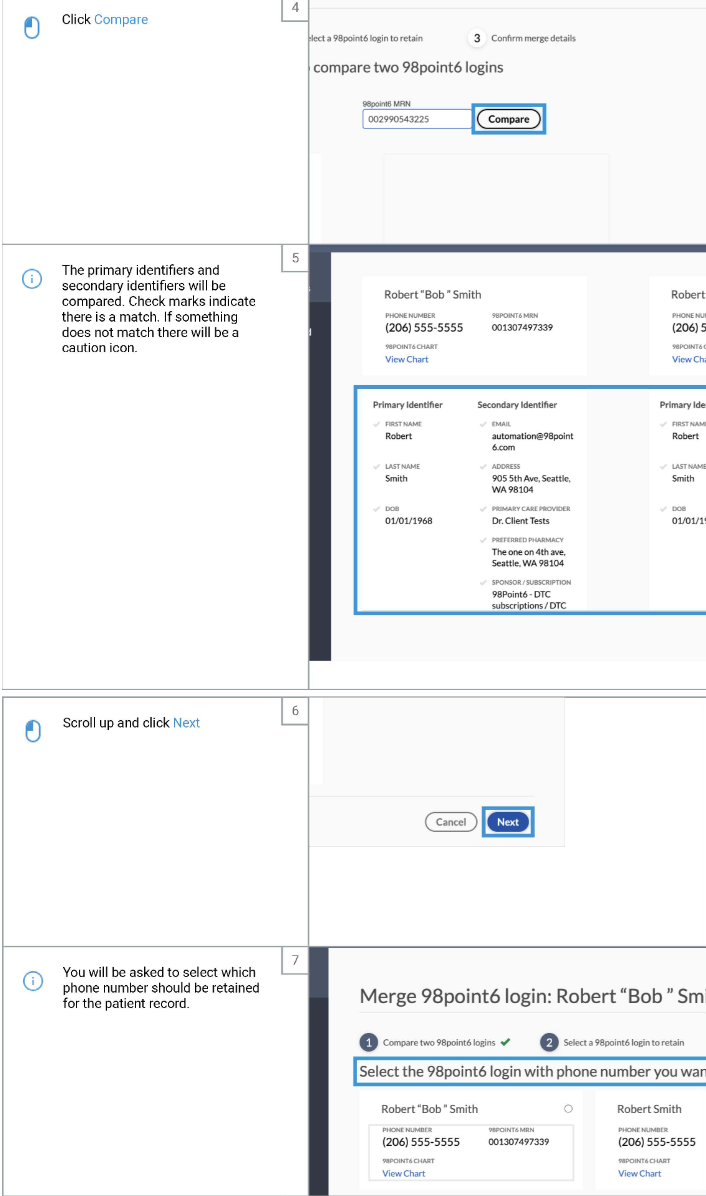
Click Compare
The primary and secondary identifiers will be compared
Check marks will indicate if there is a match
If something does not match, there will be a caution icon
Scroll up and click Next
You will be asked which phone number should be retained for the patient record
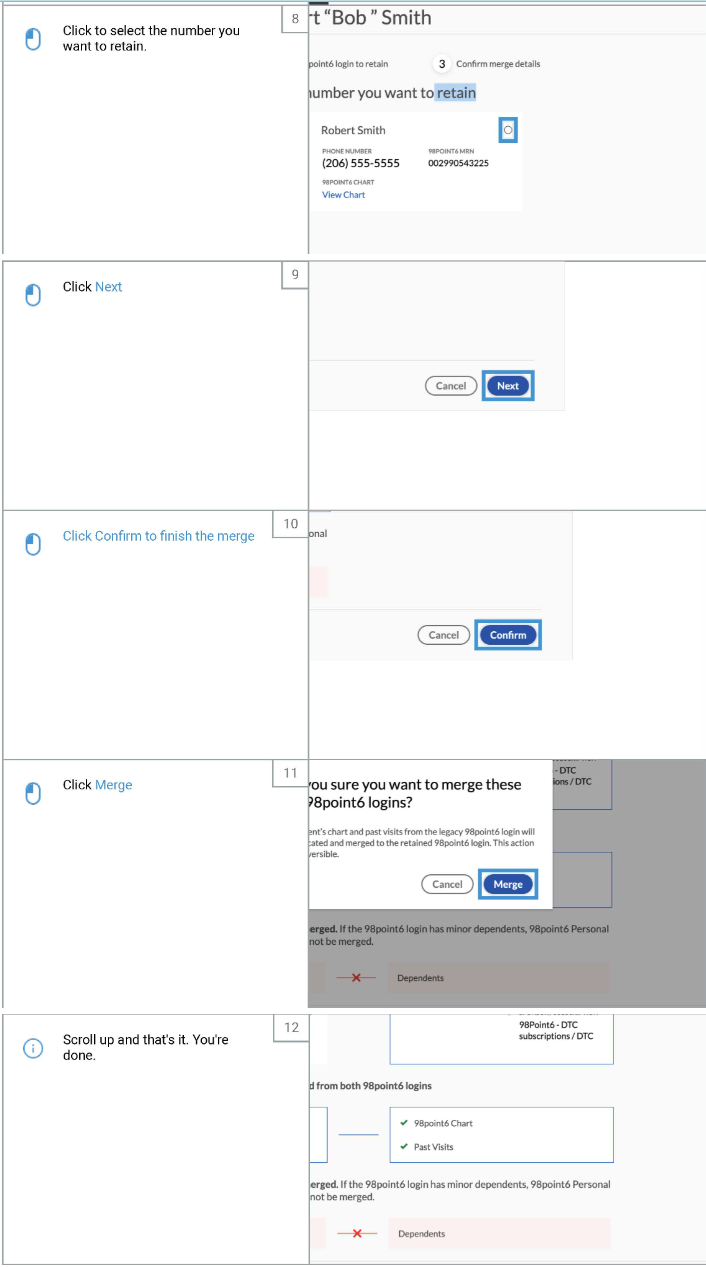
Click to select the number that you want to retain
Click Next
Click Confirm
Click Merge