Force End an Encounter
In some cases, a patient encounter might get in a state where it cannot be finalized in the clinician console via the usual flow. If a patient encounter is stuck you can force finalize the encounter by generating an Admin link to end the encounter.
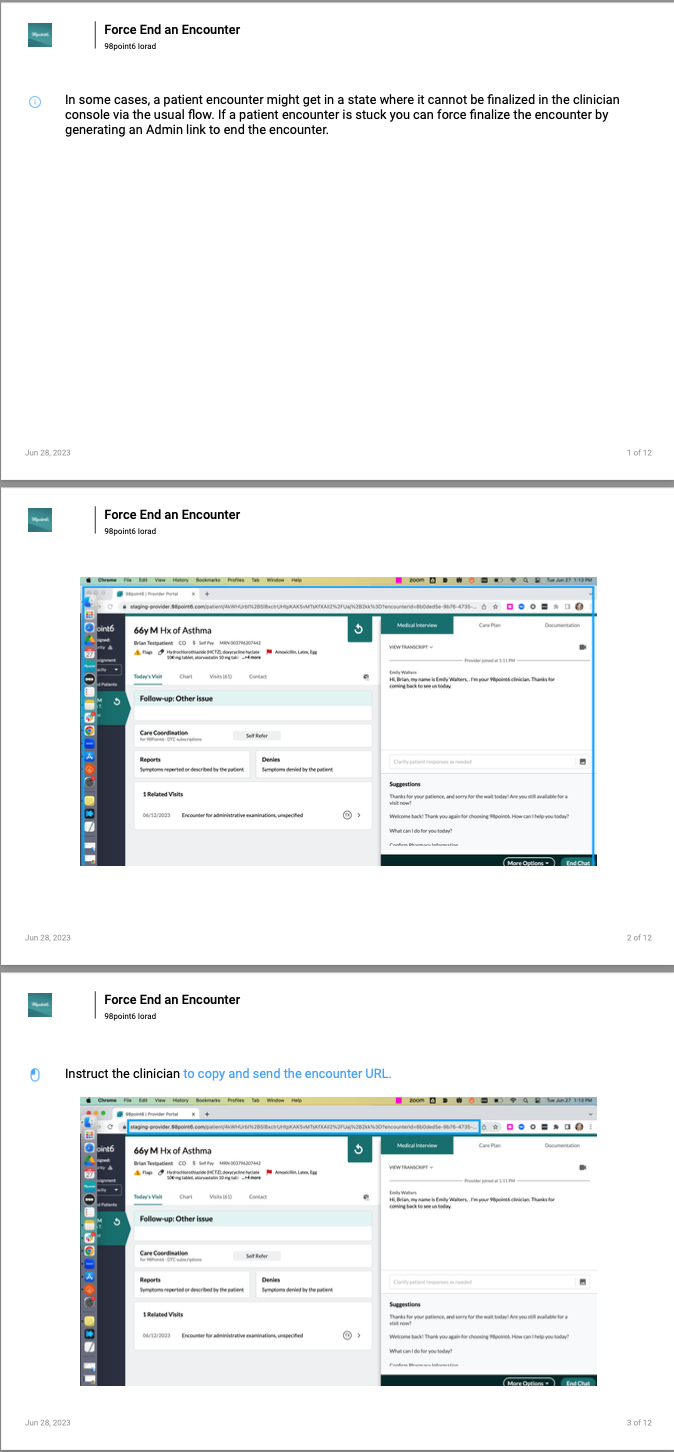
Instruct the clinician to copy and send the encounter URL.
Once you have the encounter URL, open up a notes app.
Paste the encounter URL into a notes app
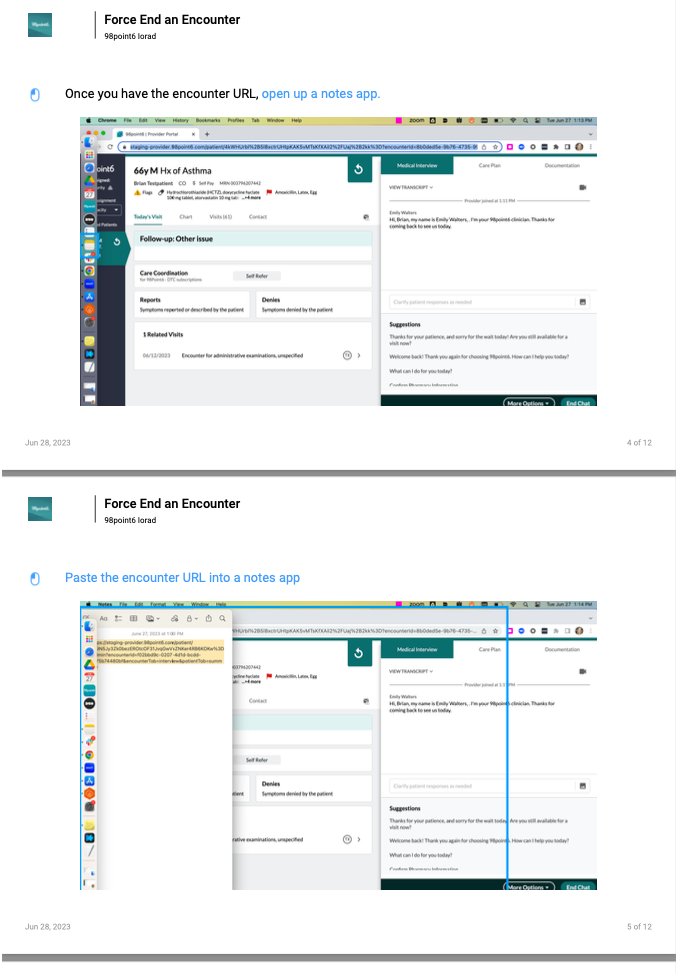
Add “/admin” before the question mark (“?”) in the url (ex. http://provider.98point6.com/patient/{patient Id}/admin?encounterId={encounterId})
With /admin added to the URL, copy the new link. You can share this with the clinician.
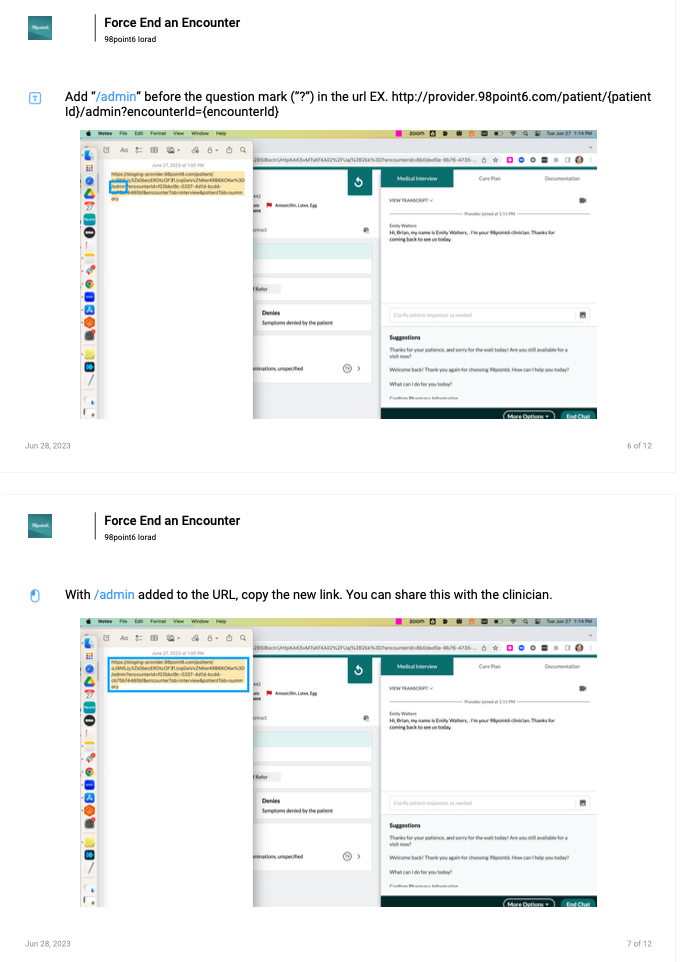
With the /admin added, the new URL should take the clinician to this page
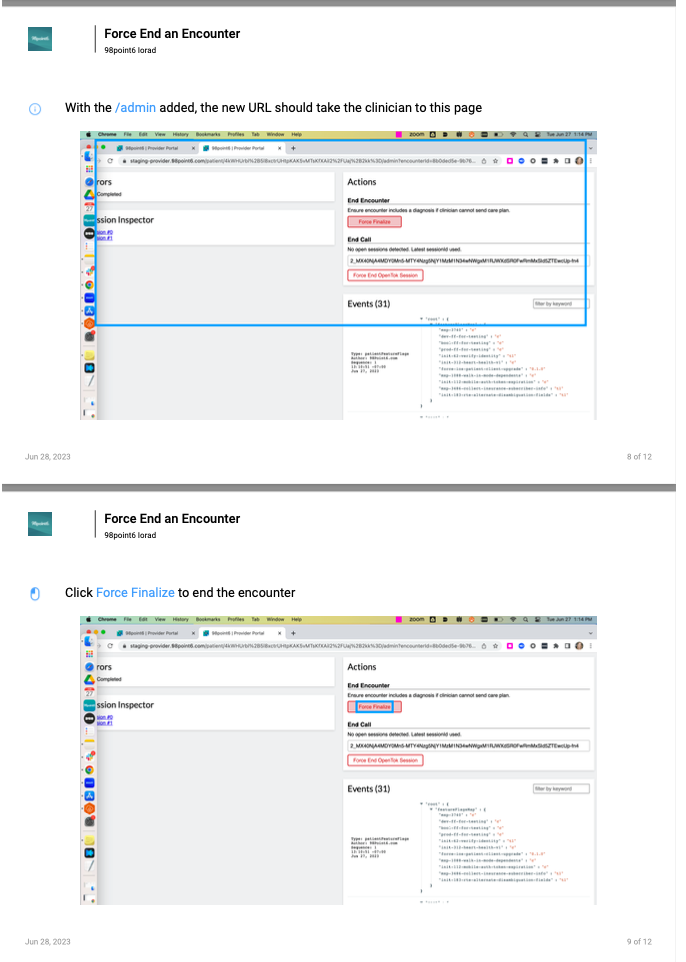
Click Force Finalize to end the encounter
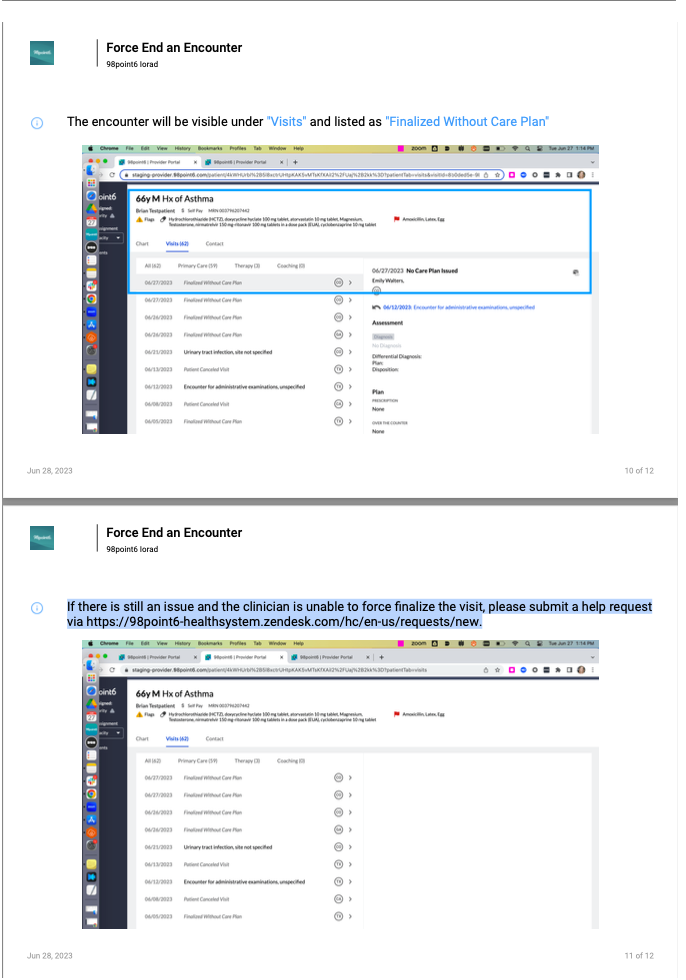
The encounter will be visible under "Visits" and listed as "Finalized Without Care Plan"
If there is still an issue and the clinician is unable to force finalize the visit, please submit a help desk request via https://98point6-healthsystem.zendesk.com/hc/en-us/requests/new