Editing patient profiles in the PMT
Use these steps to edit a patient profile in the PMT.
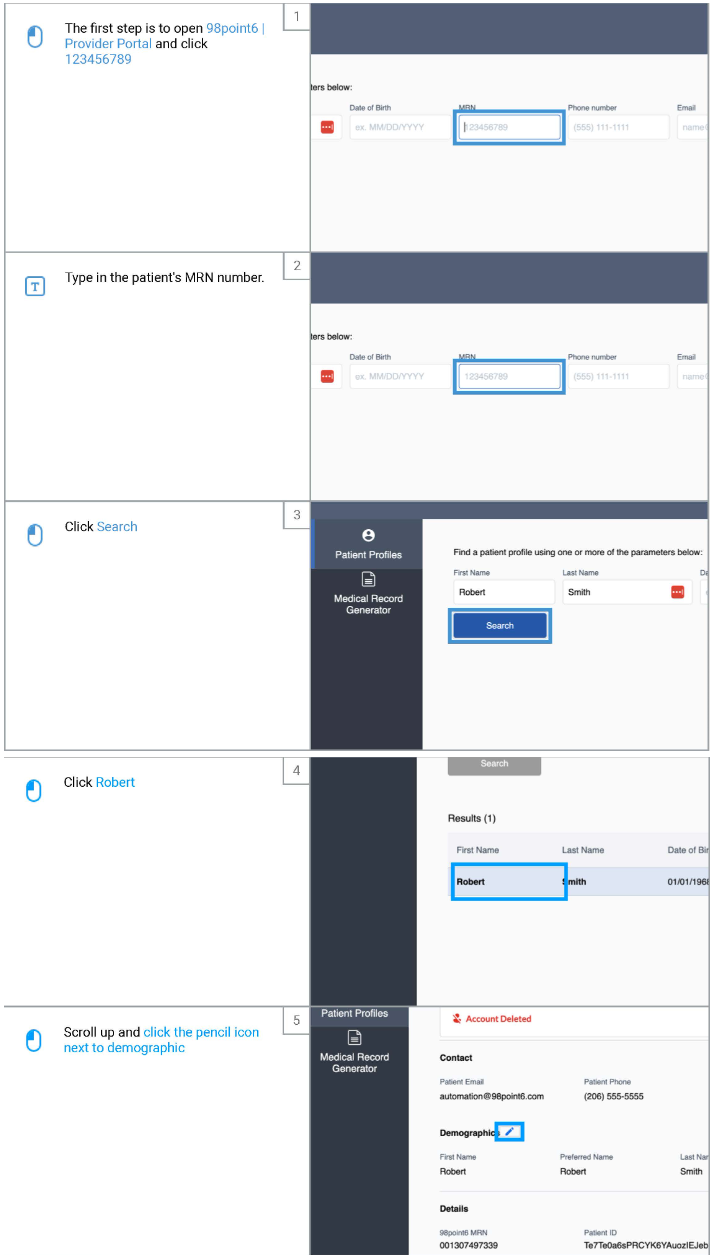
Open up the PMT
Search for the patient you wish to block or unblock
You can search by name, DOB, email, phone, or MRN
Click on the associated profile to open
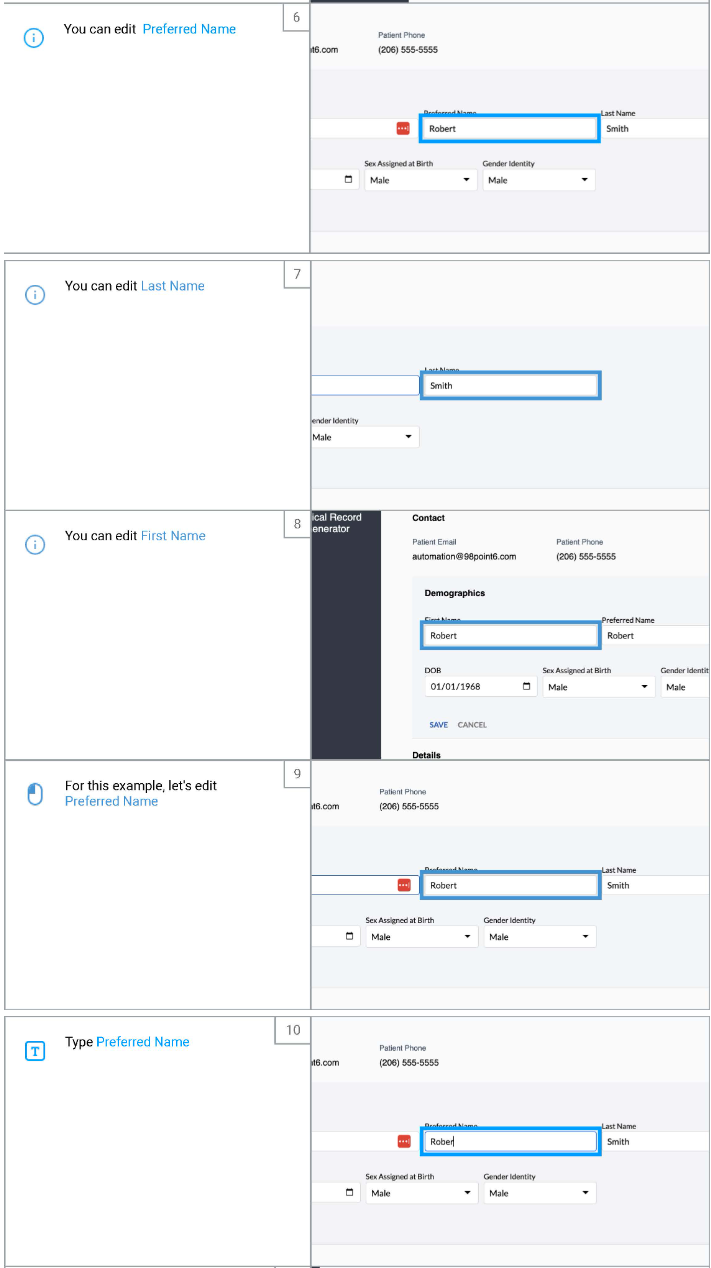
Click on the pencil icon next to Demographics
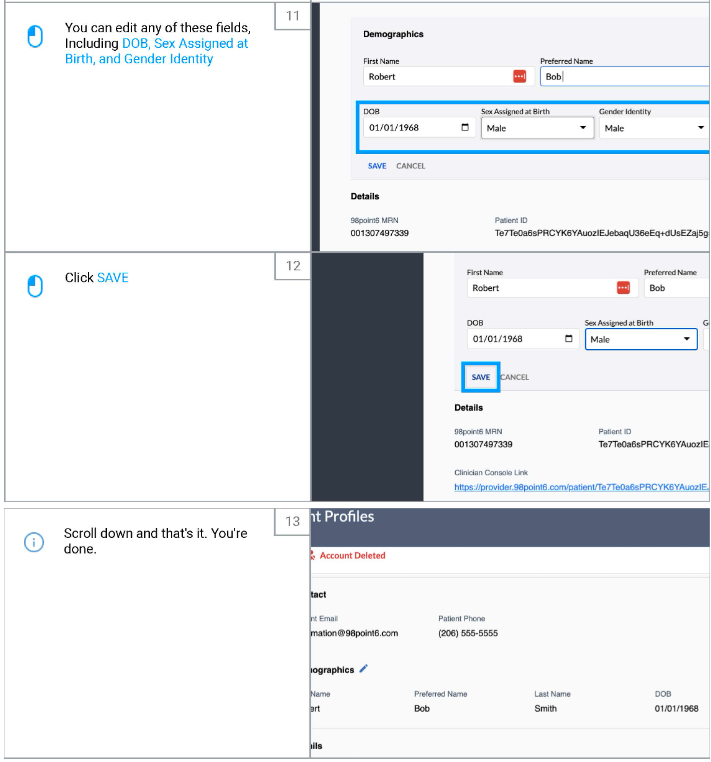
Here you can make edits to the patient profile including:
First, last, and preferred name
Date of Birth
Sex assigned at birth
Gender Identity
Once you have made your edits, click Save
These changes should reflect in the PMT immediately
The patient may need to refresh the app for the changes to reflect on their end