Deleting a patient profile in the PMT
Use these steps to delete a patient profile in the PMT.

Extreme caution should be taken when editing or deleting patient profile information.
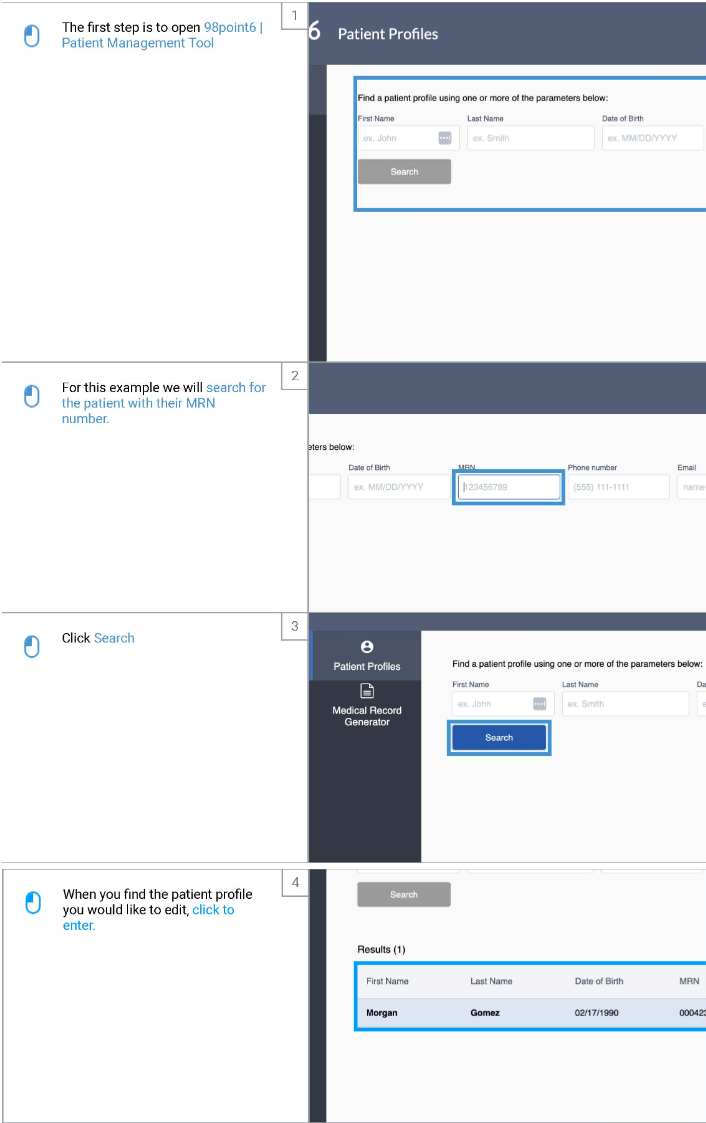
Open up the PMT
Search for the patient you wish to block or unblock
You can search by name, DOB, email, phone, or MRN
Click on the associated profile
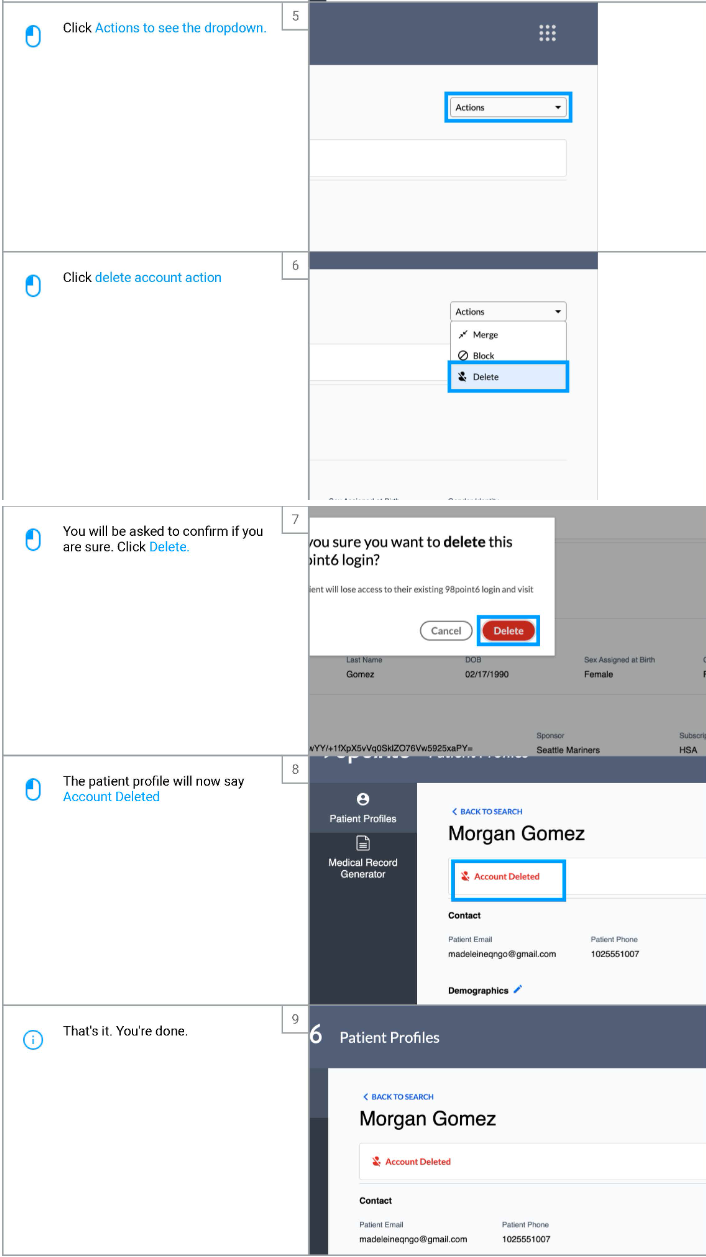
In the upper right hand corner, click on Actions
Click Delete
A pop-up will appear confirming you want to delete the account
Click Delete to confirm
This will only remove their access to sign in, or see their visit history within the app
Their medical records and other patient data will not be deleted