Blocking & unblocking a patient in the PMT
Use these steps to block or unblock a patient from accessing the app.
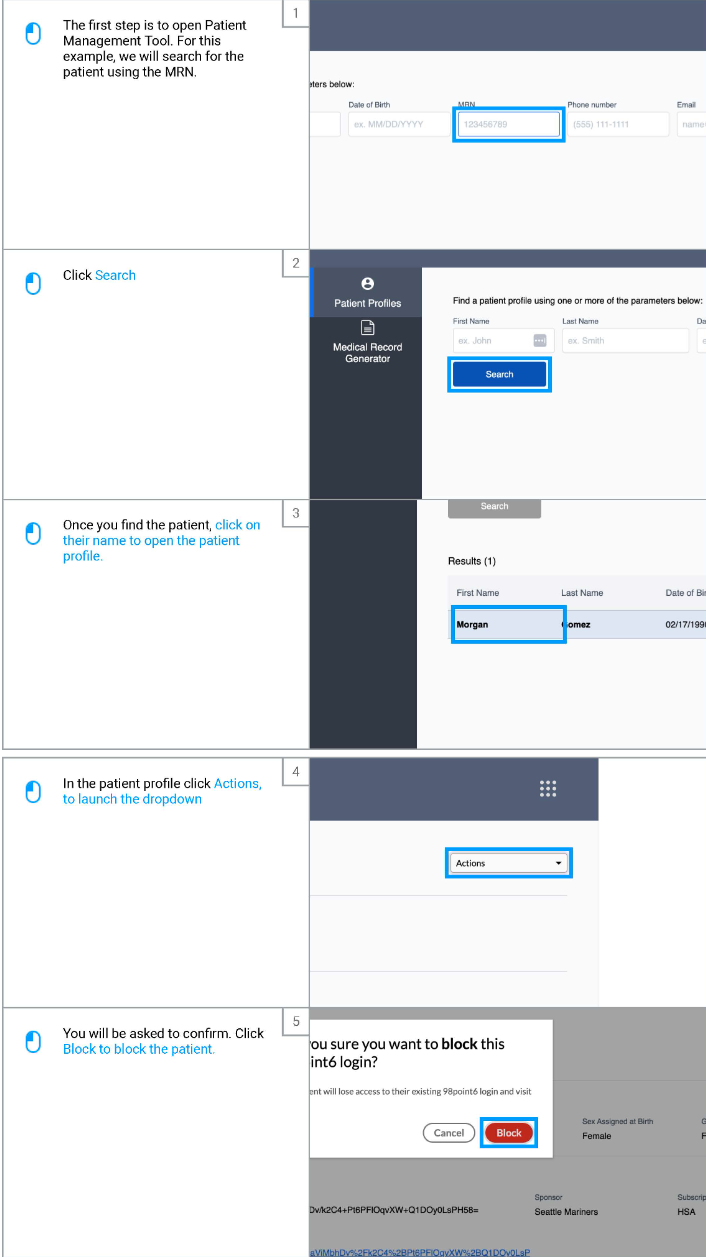
Open up the PMT
Search for the patient you wish to block or unblock
You can search by name, DOB, email, phone, or MRN
Click on the associated profile that pulls up
In the upper right hand corner, click on Actions
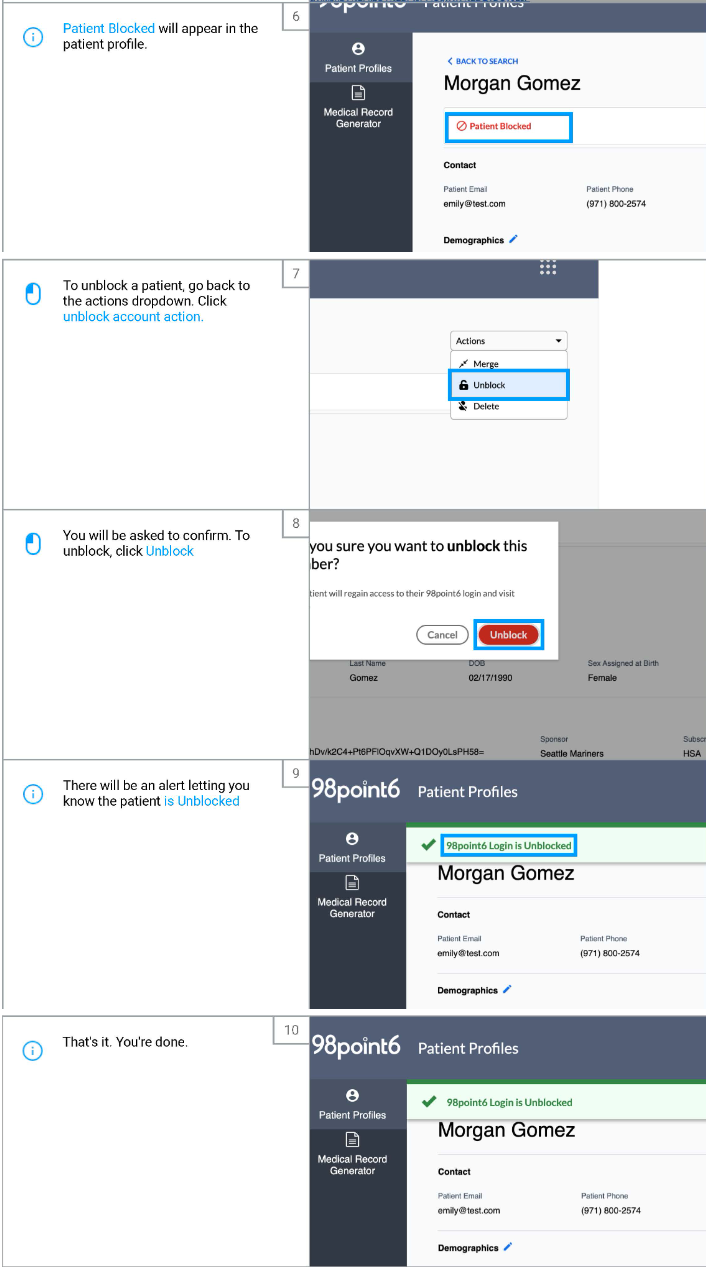
Select the appropriate action
Blocking will revoke their access
Unblocking will reinstate their access
You will be asked to confirm your selection
If you block the patient, this will show on their account until they are unblocked
If you unblock them, an alert will appear on their account confirming this was successful